ALPM and PACMAN

ALPM is like a storage Engine and Pacman is like a API/CLI layer sitting on top of it.
ALPM doesn't use a complex SQL database, it uses a flat-file Database structure. This aligns with the unix philosophy "everything is a file".
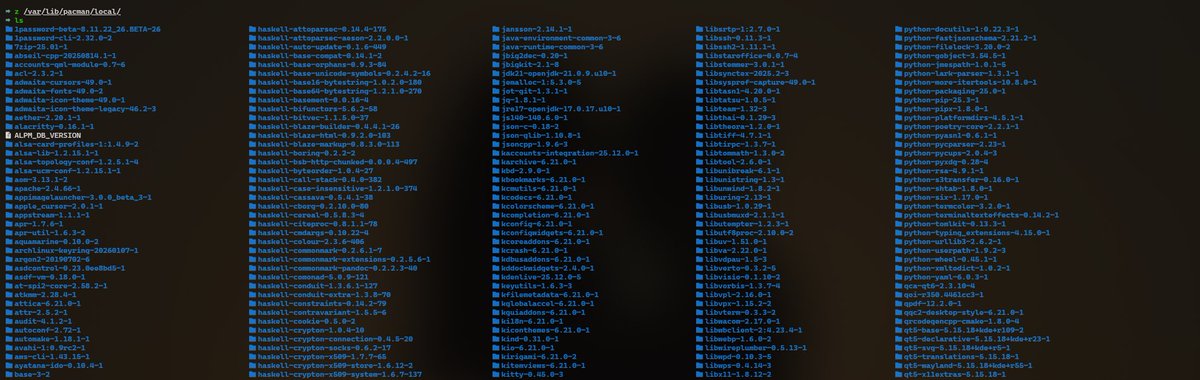
The local database resides at /var/lib/pacman/local/. Each installed package has its own directory named [package-name]-[version]-[release]
this is what the directory looks like.
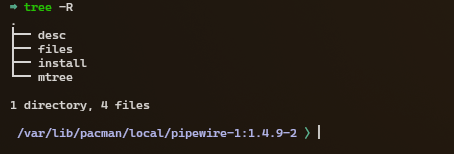
Inside each directory you'll find (typically):
- desc: Metadata (description, version, install date, size, dependencies).
- files: A full list of every file installed by the package.
- mtree: A binary file used for integrity checks (permissions, hashes).
- install: (Optional) Shell scripts that run before/after installation (pre-install, post-upgrade).
You’ve likely seen the error: error: failed to init transaction (unable to lock database)
ALPM uses a lock file to ensure atomicity. Only one process can modify the database at a time to prevent corruption
if pacman or yay crashes midway the lockfile might stay behind, you could delete the lock file in /var/lib/pacman.db.lck
Database corruption:
Database corruption in ALPM usually means the metadata in /var/lib/pacman/local/ has become inconsistent or files are missing.
Scenario A: Empty desc or files
If a write operation was interrupted, you might end up with an empty directory for a package. pacman will then complain that it cannot read the package metadata.
Scenario B: General Sync Inconsistency
If your local DB thinks a version is installed but the files are missing:
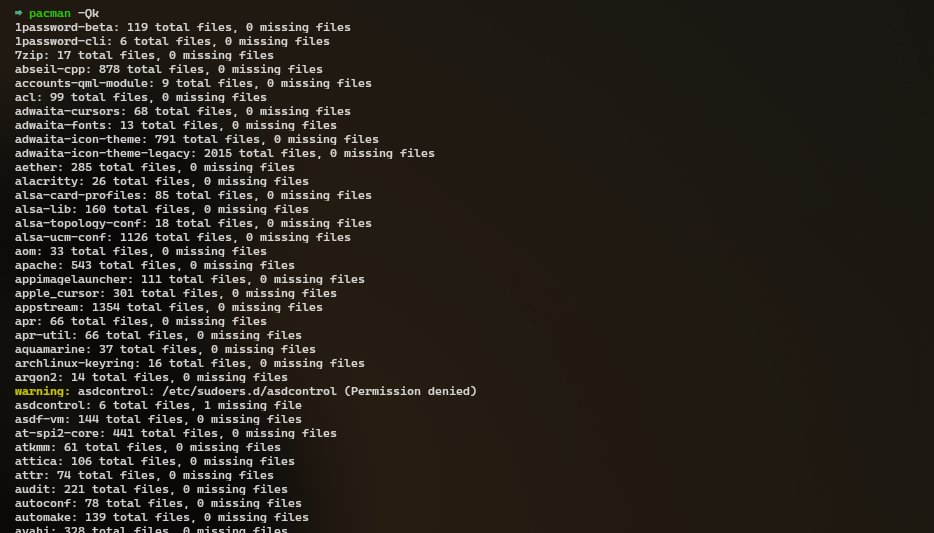
- Run pacman -Qk to check the health of all installed packages. It compares the files list in the ALPM DB against your actual disk.
ALPM is written in C. It is designed to be fast and have zero overhead.
ALPM tries to make operations atomic. It downloads everything first, checks for conflicts, and only then starts writing to the DB and disk.
ALPM supports hooks (found in /usr/share/libalpm/hooks/). These are triggers that execute scripts when specific files in the database are modified.
Related
Continue reading
All writings